

Overview
Let’s be honest for a second, people do judge books by their covers. You might spend months writing a brilliant story, but if the cover looks dull or confusing, many readers will scroll right past it that might feel unfair, but it is how the book world works. A cover is your book’s handshake, smile, and first pitch all rolled into one.
Now here’s the good news. You don’t need to be a professional designer to create something eye catching. That is where book cover templates step in like a helpful shortcut. Think of them as your creative starting point. Instead of staring at a blank screen and wondering where to begin, you get a ready-made design that you can shape into your own.
Whether you are working on your first ebook, a printed novel, or even a fun coloring book, templates make the process smoother and far less stressful. They save time, reduce guesswork, and help you focus on what really matters, making your book look irresistible to readers. By the end of this guide, you will know exactly how to choose, customize, and use templates to create a cover that truly stands out.
Why Book Cover Templates Matter for Authors
A book cover is more than just decoration—it is your book’s first marketing asset. Readers often decide within seconds whether to explore a book further. A Professional Book Cover Design creates a strong first impression, boosts credibility, and can significantly increase clicks and sales. Many authors struggle to design an eye-catching cover because they lack design skills or advanced software experience. That’s where book cover templates become valuable. They provide a professionally structured layout that only requires simple edits to text, images, and colors. Templates also save time by eliminating the need to design from scratch, helping both new authors and experienced publishers create polished, market-ready book covers.
Types of Book Cover Templates You Can Use
There are many styles of templates. Each one fits a different purpose. Let’s explore the most common options.
Free Book Cover Templates
If you are on a budget, free book cover templates are a great starting point. Many websites offer ready-to-use designs. These templates often include basic layouts. You can edit them using tools like Canva or Photoshop. While they may not be fully unique, they still give solid results.
Free Printable Book Cover Templates PDF
Some authors prefer print-ready designs. Free printable book cover templates PDF files are useful for this purpose. These templates come with fixed dimensions. You can print them directly after book editing. They work well for school books, journals, and simple publications.
Free Book Cover Design Templates
You can also find free book cover design templates that include creative layouts. These often feature modern fonts and stylish graphics. They are ideal for beginners. You can quickly build a decent cover without hiring a designer.
Free Coloring Book Cover Templates
For children’s books, free coloring book cover templates are very helpful. These designs include fun elements and simple outlines. They attract young readers and parents. You can also customize them with bright colors and playful fonts.
Ebook Cover Template
If you publish digitally, an ebook cover template is essential. These templates focus on screen display rather than print. They use high-resolution images and clear typography. This ensures your cover looks sharp on devices like tablets and phones.
Front and Back Book Cover Templates
For print books, you need both sides. Front and back book cover templates include space for the cover, spine, and back page. These templates help you maintain proper alignment. They also ensure your book looks professional when printed.
Book Cover Spine and Back Template
A book cover spine and back template is more detailed. It includes exact measurements for the spine width. This is important for printed books. The spine must match the page count and paper thickness.
Book Sleeve Template
A book sleeve template is less common but still useful. It helps design removable covers or jackets. Publishers often use these for special editions. They add an extra layer of branding and style.
Book Cover Layouts
Different book cover layouts suit different genres. Romance novels use soft colors and elegant fonts. Thrillers use bold text and dark themes. Choosing the right layout improves your book’s appeal. It also helps readers understand your book genre quickly.
Free vs Premium Book Cover Templates
Not all templates offer the same quality. You must understand the difference between free and paid options.
Free Templates
Free templates are easy to access. They work well for beginners or small projects. However, they have some limits.
- Limited design choices
- Less uniqueness
- Basic customization options
Premium Templates
Premium templates offer more features. They often include advanced design elements.
- Unique layouts
- High-quality graphics
- Better typography
- More customization options
If you want a polished look, premium templates are worth the cost.
How to Choose the Right Book Cover Template
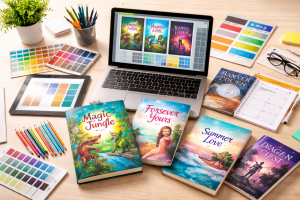
Choosing the right template is not a guessing game. It is more like picking an outfit for a big event. You want it to match the mood, the audience, and the message.
- Start with your book’s personality. Ask yourself what kind of story or content you are offering. A children’s book should feel fun, colorful, and lively. On the other hand, a business guide should look clean, sharp, and professional. When your cover matches your genre, readers instantly feel it is right for them.
- Now think about your readers. Who are they? Teen readers, parents, or professionals? Each group responds to different styles. Bright colors and playful fonts attract younger audiences. Simple layouts and bold titles work better for serious topics. When you design with your reader in mind, your cover becomes more appealing.
- Next comes readability, which is often overlooked. Your title should be easy to read, even as a small thumbnail. Imagine someone scrolling on their phone. Can they read your title in a second? If not, it needs fixing. Avoid fancy fonts that look pretty but confuse the eye.
- Then, take a step back and look at the layout. Does it feel balanced, or does it look cluttered? A crowded cover can overwhelm the viewer. Give your design some breathing space. White space is not empty space—it actually makes your cover look clean and professional.
- Finally, do not forget the technical side. Every platform has its own size rules. If you plan to publish on Amazon or other platforms, your template must follow their guidelines. This includes dimensions, spine width, and resolution. A beautiful design will not help if it does not fit the required format.
When you take all these points into account, choosing the right template becomes much easier—and even a little fun.
How to Customize Book Cover Templates
Customizing a template might sound tricky at first, but it is actually a fun and creative process. Think of it like decorating your own space. The structure is already there—you just add your personal touch to make it feel right.
- Start with the text. This is the easiest step and also the most important. Replace the placeholder text with your actual book title and author name. Take a moment to play around with size and placement. Your title should stand out right away. If someone glances at your cover for one second, they should notice the title first.
- Next comes the visuals, and this is where your cover starts to come alive. Swap out the default images with something that truly reflects your story. Writing a mystery? Go for darker tones or suspenseful imagery. Creating a romance novel? Softer and warmer visuals might work better. Try to avoid overused stock images that people have seen everywhere. A unique image can make your book feel fresh and memorable.
- Now let’s talk about colors. Colors set the mood before a reader even reads the title. Bright and playful colors work great for children’s books, while darker shades fit thrillers or horror stories. If you are unsure, stick to two or three complementary colors. Too many colors can make the design feel chaotic.
- Fonts are another key piece of the puzzle. It is tempting to try many styles, but less is more here. Stick to two or three fonts at most. One for the title, one for the subtitle, and maybe one for small details. Make sure they are easy to read and match your book’s tone. A fancy script might look nice, but it will not help if readers struggle to read it.
- Finally, take a step back and review everything. This step is often rushed, but it matters a lot. Check if all elements are aligned properly. Look at the spacing between text and images. Make sure there are no spelling errors. Even a small mistake can make your cover look unprofessional.
- You can also test your design by viewing it as a small thumbnail. This helps you see how it will appear online. If it still looks clear and attractive, you are on the right track.
Once you go through these steps, customizing book cover templates becomes less of a task and more of an enjoyable creative process.
Tools to Edit Book Cover Templates
You do not need expensive software to create a great cover. In fact, many tools today are simple, powerful, and beginner-friendly. Whether you are just starting out or already have some design experience, there is something for everyone.
- Canva is often the first choice for beginners. It has a drag-and-drop interface that feels easy right away. You can pick from ready-made book cover templates, change text, swap images, and adjust colors in minutes. It also offers built-in fonts, icons, and stock photos, which saves time. You do not need any design background to get good results.
- Adobe Photoshop is more advanced and gives you full control over your design. You can edit images in detail, adjust lighting, remove backgrounds, and create unique effects. It works best if you want a highly customized look. However, it does take some time to learn.
- Adobe Illustrator is ideal if you want sharp and scalable designs. It uses vector graphics, which means your cover stays clear at any size. This is useful for print projects, especially when working with detailed book cover layouts or typography-heavy designs.
- GIMP is a great free alternative to Photoshop. It offers many similar features, such as image editing and layering. While the interface may feel less polished, it still gets the job done for most book cover design templates.
Some authors also explore online tools like Adobe Express or Visme for quick edits. These tools combine ease of use with decent customization options. The key is to choose a tool that matches your comfort level. If you are new, start simple and focus on learning the basics. As you grow, you can move to more advanced tools. No matter which option you pick, all these tools support most book cover design templates and help you turn a simple idea into a professional-looking cover.
Common Mistakes to Avoid
Even with the best templates in hand, it is easy to slip up. Think of it like cooking with a great recipe—you still need to follow a few basics to get the perfect result. Let’s walk through some common mistakes so you can avoid them with confidence.
- First up, the “too many fonts” problem. It is tempting to try every stylish font you see, but this quickly turns your cover into a cluttered mess. Instead of looking creative, it feels confusing. Stick to two or three fonts at most. This keeps your design clean and easy to read. Remember, simple always wins.
- Next, let’s talk about image quality. A blurry or pixelated image can ruin an otherwise great cover. It instantly makes your book look unprofessional. Always choose high-resolution images that stay sharp, even when resized. If your image does not look crisp, it is better to replace it.
- Another mistake many authors make is ignoring the spine. This usually happens with print books. The spine might seem small, but it plays a big role, especially on bookstore shelves. If the alignment is off, your title may look crooked or cut off. Always double-check your book cover spine and back template to make sure everything lines up perfectly.
- Then there is the issue of copying other designs. It is okay to feel inspired by popular covers, but copying them too closely can hurt your brand. Readers notice when something feels generic. Your cover should reflect your unique story, not someone else’s work.
- Lastly, avoid overcrowding your design. Trying to fit too many elements—images, text, colors—can overwhelm the viewer. Give your cover some breathing space. A clean layout often looks more professional and appealing.
When you stay mindful of these small details, your book cover templates will truly shine and help your book stand out for all the right reasons.
Quick Tips for Creating a Professional Book Cover
- Keep your design simple. Simple covers often perform better.
- Focus on one strong visual. This could be an image, color, or typography style.
- Make your title stand out. It should be readable even as a small thumbnail.
- Test your design. Show it to friends or readers. Feedback helps improve your work.
- Stay consistent with your genre. Readers expect certain styles.
SEO and Marketing Benefits of Good Covers
A well-designed cover does more than just look good—it plays a direct role in your book’s success. On crowded online platforms, your cover is often the first thing readers notice. A clean and eye-catching design can instantly grab attention and encourage more clicks. This improved visibility helps your book stand out among thousands of options.
A professional cover also builds trust. When readers see a polished design, they assume the content inside is just as strong. On the other hand, a poorly designed cover can make even a great book seem low quality. First impressions matter, and your cover sets the tone.
When you combine a strong cover with well-written content, the results can be powerful. More clicks can lead to more readers, and more readers can turn into better sales. This is why using book cover templates is not just a design choice—it is a smart marketing move that supports your overall book promotion strategy.
Give Your Book a Stunning Makeover with NYBP’s Expert Designers
If you want a cover that truly stands out, it may be worth exploring professional help. At NY Book Publishers, we offer expert book cover design services tailored to your vision. Our skilled designers understand what works in today’s market and create covers that grab attention instantly. We focus on clean layouts, strong visuals, and genre-specific styles that connect with readers. Whether you need a simple design or a more detailed one, our team works closely with you to bring your ideas to life. With the right mix of creativity and experience, we aim to deliver covers that not only look stunning but also help your book succeed.
Create A Stunning Book Cover!
Creating a beautiful and effective book cover doesn’t have to be overwhelming. With the right book cover templates, you can write a design that captures attention, reflects your story, and appeals to your readers. Whether you start with free templates or invest in premium designs, the key is to focus on clarity, creativity, and a layout that resonates with your audience. We hope this guide will help you confidently choose, customize, and perfect your book cover so that your book not only looks professional but also stands out in the crowded marketplace.
FAQs About Book Cover Templates
What are book cover templates?
Book cover templates are pre-designed layouts. They help authors create covers quickly. You can edit text, images, and colors to fit your book.
Where can I find free book cover templates?
You can find free book cover templates on platforms like Canva, Freepik, and Adobe Express. Many websites offer both free and paid options.
How do I customize book cover templates?
You can customize templates by editing text, images, and colors. Use design tools like Canva or Photoshop. Always match the design to your book’s theme.
What makes a good book cover template?
A good template has a clean layout, readable fonts, and a balanced design. It should match your genre and attract your target audience.
Do book cover templates meet publishing standards?
Yes, many templates follow publishing guidelines. However, you must check size and format requirements. This is important for print and digital platforms.