Table Of Contents
- Intro
- What is an eBook? The Real Definition!
- What Is an eBook and How Does It Work?
- What Are eBooks Used For? More Than Just Reading
- What Is an eBook in Marketing?
- What is an eBook Format? (And What File Type Is an eBook?)
- How to Write an eBook: A Practical Guide
- Steps to Writing an eBook: Your Complete Checklist
- Pro Tips to Write a Perfect eBook
- Common Mistakes to Avoid When Writing an eBook
- NY Book Publishers is the Best Place to Bring Your eBook to Life!
- To Conclude…
- Frequently Asked Questions
Intro
You’ve probably heard the term “What Is an eBook“ while searching online or talking with other readers and authors. Maybe someone suggested writing one, perhaps you’ve already purchased one, or you’ve seen eBooks offered on websites and wondered why they’re so popular. Simply put, an eBook is a digital book that you read on a smartphone, tablet, computer, or eReader instead of printed paper. That’s the simple explanation, but there’s much more to understand if you’re planning to create, publish, or sell one. Over the years, eBooks have transformed the way people share knowledge, build personal brands, and generate income online. Today, even a first-time author can write an eBook over a weekend, publish it on digital platforms, and begin reaching readers within days.
A business can use one to attract hundreds of new leads. A teacher can share one with students in seconds, no printing required. They’re fast to create, easy to distribute, and can reach readers anywhere in the world. No printing costs. No shipping delays. No storage headaches. Whether you’re curious about what eBooks are, thinking about writing your first one, or wondering how to price it, this guide covers everything. Let’s break it all down.

What is an eBook? The Real Definition!
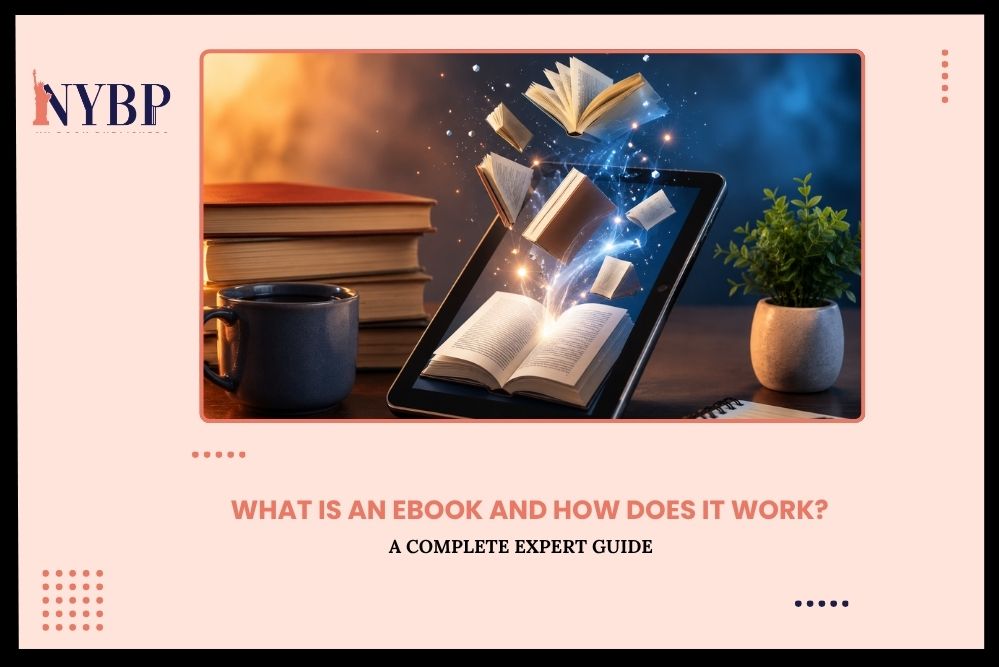
So, what does eBook mean? The word “eBook” stands for “electronic book.” It’s a digital file — usually a PDF, EPUB, or MOBI — that contains text, images, or both. You read it on a phone, tablet, laptop, or e-reader like a Kindle. The eBook’s meaning is simple: it’s a book without paper. Think of Atomic Habits by James Clear. Many people read it on their Kindle or phone. That digital version? That’s an eBook. Same content, no printing required.
An eBook can be:
- A how-to guide (like a recipe collection or a fitness plan)
- A full-length novel
- A business resource or lead magnet
- A children’s picture book in digital form
The format changes. The purpose stays the same: sharing information or stories.
What Is an eBook and How Does It Work?
Let’s talk about the “how” part. What is an eBook, and how does it work exactly? When someone buys or downloads an eBook, they get a digital file. That file lives on their device. They open it with an app or a reader. They scroll or tap through pages. No shipping. No waiting. No printing.
Here’s a quick example. Say you buy The 4-Hour Workweek by Tim Ferriss on Amazon Kindle. Amazon sends the file straight to your Kindle app — even if it’s on your iPhone. You open the app and start reading. That’s it. So, how do eBooks work from the seller’s side? You create the file, upload it to a platform (like Amazon KDP, Gumroad, or Payhip), set a price, and your customers buy it. The platform handles delivery. You collect the money. It’s one of the cleanest digital business models out there.
What Are eBooks Used For? More Than Just Reading
People think eBooks are just books. They’re not. What are eBooks in the real world? They serve many purposes:
- Personal use: Someone wants to learn photography. They buy an eBook on Lightroom editing. Done.
- Business use: A consultant packages their best advice into a $47 eBook. It sells while they sleep.
- Education: Teachers share eBooks instead of printing 30 copies of a worksheet.
- Marketing: Brands give away free eBooks to collect email addresses. This leads us to the next point.
What Is an eBook in Marketing?
In marketing, an eBook is often used as a “lead magnet.” That means you give it away for free — in exchange for someone’s email. Let’s say a fitness coach creates a free eBook called 7 Days to Better Sleep. They put it on their website. You enter your email. You get the eBook. The coach gets your email address and can now send you offers. That’s what an eBook is in marketing, a trust-builder and list-grower. Big brands use this too. HubSpot, for example, offers dozens of free eBooks on marketing, sales, and SEO. It’s one of their top lead generation strategies.
What Is an eBook Format? (And What File Type Is an eBook?)
Not all eBooks look the same. The format depends on where you’re reading it and who made it. So, what is an eBook format? Here are the most common ones:
- EPUB — The most popular format. Works on Apple Books, Kobo, Google Play Books, and most e-readers. It adjusts to fit any screen size.
- PDF — Easy to create. Works on any device. But the layout is fixed — it doesn’t resize like EPUB does.
- MOBI — Amazon’s older format. Now mostly replaced by KFX for Kindle books.
- AZW / KFX — Amazon Kindle formats. You’ll see these if you buy from the Kindle store.
What file type is an eBook most often? For self-publishers, it’s usually PDF first, then EPUB. For Amazon authors, it’s EPUB or DOCX (which Amazon converts automatically).
How to Write an eBook: A Practical Guide
Now let’s get into the good stuff. Writing an eBook isn’t as hard as people think. You don’t need a publisher, a literary agent, or years of writing experience. You need a clear plan and the willingness to start. Here’s your complete guide to writing an eBook — step by step.
Step 1: Pick a Topic That Solves a Real Problem
This is the most important step. A great eBook topic doesn’t come from thin air. It comes from real people asking real questions. Go to Reddit, Quora, or Google’s “People Also Ask” section. Type in your niche and see what comes up. What are people stuck on? What questions keep appearing over and over? Let’s say you’re a social media manager. You notice people constantly asking, “How do I grow on Instagram starting from zero?” That frustration is your opportunity. Write the eBook that answers it.
Another example, imagine you’re a nutritionist. People in your community keep asking about budget-friendly meal planning. That’s a specific, solvable problem. A 40-page eBook called Eat Well for $50 a Week could sell incredibly well. The more specific your topic, the better it sells. “Health tips” is too broad. “5-Day Anti-Inflammatory Meal Plan for Busy Moms” is specific, targeted, and useful.
Step 2: Know Your Reader Before You Write a Word
Before you open a Google Doc, ask yourself one question: Who exactly am I writing this for? A beginner? An expert? A college student? A retired professional? Someone dealing with anxiety? A new business owner? This matters more than most people realize. It shapes your tone, your word choices, and how deeply you go on each topic.
A beginner’s guide to investing sounds completely different from a guide written for experienced traders. One explains what a stock is. The other dives into options strategies. If you try to write for everyone, you’ll connect with no one. Pick one reader. Write directly to them.
Step 3: Build a Simple, Strong Outline
Don’t skip this step. An outline is your roadmap. Without it, you’ll write in circles and lose your reader along the way. A structure that works well for most eBooks looks like this:
- Introduction — Hook the reader. Tell them what they’ll learn and why it matters.
- 5–8 core chapters or sections — Each one covers a single idea, clearly and completely.
- Conclusion — Summarize the key takeaways. Give them a clear next step.
Keep it tight. Your eBook doesn’t need to be 200 pages to be valuable. In fact, some of the best-selling eBooks on Gumroad and Amazon are between 30 and 60 pages. The Go-Giver by Bob Burg is under 130 pages and has sold millions of copies. Length isn’t the goal — clarity is.
Step 4: Write Like You’re Talking to a Friend
This is where most people go wrong. They try to sound “professional” and end up sounding like a robot reading from a manual. Write the way you speak. Use short sentences. Ask your reader questions. Say “you” often. Make it feel like a conversation, not a lecture.
Here’s a quick comparison:
“The utilization of digital publishing tools facilitates the seamless creation of eBook content for content producers.”
“Use Canva or Google Docs to write your eBook. Seriously — it’s that simple.”
One of those sounds like a human. The other sounds like a legal document. Always go with the human version. Read your draft out loud when you’re done. If you stumble over a sentence, rewrite it. If it sounds awkward when spoken, it’ll read awkward, too.
Step 5: Add Value, Not Just Pages
Don’t pad your eBook. Every single paragraph should earn its place. Ask yourself about each section: Does this teach something? Does this entertain? Does this move the reader closer to their goal? If the answer is no to all three, cut it. Readers can feel when content is being stretched. They’ll put the eBook down and never come back. Respect their time. Give them dense, useful content from start to finish. Think about The Lean Startup by Eric Ries. Every chapter serves a purpose. Nothing is filler. That’s why it’s been on business reading lists for over a decade.
Step 6: Design It to Look Professional
A poorly designed eBook hurts your credibility, even if the content is excellent. First impressions matter. You don’t need to be a graphic designer. Tools like Canva make it easy to create a polished, professional layout. Adobe InDesign is another solid option if you want more control. Even Google Slides works for simple layouts.
Focus on:
- Clear, readable headings that guide the reader through each section.
- Short paragraphs with white space — walls of text push people away.
- Visuals like icons, charts, or images that break up the content.
- Consistent fonts and colors that reflect your brand or topic.
A clean design doesn’t just look good. It makes your content easier to read and your eBook easier to sell.
Step 7: Export and Publish
Once your eBook is written and designed, export it. PDF is the most universal format — it works on every device and keeps your layout intact. EPUB is better if your readers will use a Kindle or Apple Books. Then choose your platform. Amazon KDP, Gumroad, Payhip, and your own website are all solid options. Each has its pros and cons — pick the one that fits your audience.
Steps to Writing an eBook: Your Complete Checklist
Here’s a writing an eBook checklist you can save, print, or bookmark. Go through every item before you hit publish.
- Topic chosen — specific, solves a real problem
- Target reader clearly defined
- Outline written — intro, chapters, conclusion
- First draft completed
- Draft edited for clarity, flow, and grammar
- Examples and stories added throughout
- Design finished — fonts, layout, colors, images
- Exported as PDF or EPUB
- Cover designed (yes, covers matter — even for eBooks)
- Uploaded to your selling platform
- Sales page or landing page created
- Pricing decided
- Promotional plan ready — email list, social media, ads
Run through every item before you launch. Skipping steps here is where most eBook projects stall or fail.
Pro Tips to Write a Perfect eBook
Getting words on the page is one thing. Writing an eBook that people actually finish and recommend is another. Here are tips that separate good eBooks from great ones.
-
Write your introduction last
Most writers start with the intro and get stuck. Write your chapters first. Once you know exactly what’s in the eBook, writing the intro becomes much easier.
-
Use stories to make points stick
Facts tell. Stories sell. Instead of saying “consistency matters in business,” tell the story of how a baker posted daily on Instagram for six months and went from 200 to 20,000 followers. Real stories make readers trust you.
-
Set a daily word count goal
Don’t try to write an entire eBook in one sitting. Set a manageable goal — 500 words a day. In 30 days, you’ll have 15,000 words. That’s a solid eBook.
-
Use subheadings generously
Online readers scan before they read. Subheadings act as signposts. They tell readers what’s coming and make the content feel easy to navigate.
-
End every chapter with a takeaway
Give your reader one clear thing to remember or do before moving on. It reinforces learning and makes your eBook feel actionable, not just informational.
-
Get feedback before publishing
Share your draft with 2–3 people in your target audience. Ask them: Was anything confusing? Did anything feel slow? Would you recommend this to a friend? Their answers will make the final version much stronger.
-
Create a compelling cover
People judge eBooks by their covers — even digital ones. A professional-looking cover increases perceived value and click-through rates. Use Canva’s eBook cover templates or hire a designer.
Common Mistakes to Avoid When Writing an eBook
Even experienced writers make these mistakes. Knowing them in advance saves you a lot of wasted time.
-
Writing without a plan
Jumping straight into writing without an outline leads to rambling, repetitive content. Always outline first, write second.
-
Trying to cover everything
An eBook that tries to cover an entire topic from A to Z usually does a poor job of all of it. Narrow your focus. Cover one specific problem extremely well.
-
Writing in a formal, stiff tone
Readers want to feel like they’re learning from a knowledgeable friend — not reading a textbook. Loosen up your language. Contractions are fine. Short sentences are good.
-
Ignoring the design
Messy layouts, inconsistent fonts, and walls of text make even great content hard to read. Spend time on design. It matters more than most writers think.
-
Skipping the editing stage
A first draft is never a final draft. Typos, unclear sentences, and weak transitions destroy credibility. Edit thoroughly, or hire someone to edit for you.
-
Setting the wrong price
Pricing too low signals low quality. Pricing too high without proof of value scares people off. Research what similar eBooks sell for and price competitively.
-
Not having a clear call to action
Every eBook should end with a next step. Buy your course. Join your email list. Book a consultation. Don’t leave readers wondering what to do after they finish reading.
-
Writing for yourself instead of your reader
It’s easy to get lost in what you find interesting. Always circle back to your reader’s needs. Every chapter, every paragraph, should serve them, not you.
-
AI Tools to Write an eBook Quickly in 2026
Writing an eBook used to take months. In 2026, the right AI tools can cut that time dramatically — without sacrificing quality. Here are the best ones to know.
-
Claude (Anthropic)
Claude is one of the most capable AI writing assistants available right now. It’s excellent for brainstorming eBook topics, creating detailed outlines, drafting chapters, and refining your tone. It understands context well and produces natural-sounding text that doesn’t feel robotic.
-
ChatGPT (OpenAI)
One of the most widely used AI tools for content creation. Great for generating first drafts, rewriting sections, creating chapter summaries, and brainstorming titles and subtitles.
-
Jasper AI
Built specifically for content creators and marketers. Jasper has eBook-specific templates and works well for long-form content. It also integrates with SEO tools, which is helpful if you’re using your eBook for lead generation.
-
Sudowrite
A favorite among fiction writers. Sudowrite helps with plot development, character building, pacing, and prose quality. If your eBook is novel or story-driven, this is worth trying.
-
Canva Magic Write
Canva’s built-in AI writing tool works inside the design platform. You can write, edit, and design your eBook all in one place. Perfect for creators who want a streamlined workflow.
-
Grammarly
Not a writing generator — but an essential finishing tool. Grammarly catches grammar mistakes, improves sentence clarity, and flags readability issues. Use it on every draft before publishing.
Important note on AI tools: Use them to speed up your process, not to replace your voice. AI can draft — you should always review, rewrite, and personalize. Readers connect with a human perspective. Add your stories, your opinions, and your experience. That’s what makes an eBook worth reading.
NY Book Publishers is the Best Place to Bring Your eBook to Life!
You’ve got the idea. Maybe you’ve even started writing. Now you need a team that knows how to turn a rough draft into a published, polished, professional eBook — and that’s exactly what NY Book Publishers does.
Here’s what makes them stand out:
Professional eBook Writing
Not everyone has the time — or the desire — to write their own eBook. NY Book Publishers has a team of experienced ghostwriters who take your ideas, your expertise, and your voice and turn them into compelling, reader-ready content. You bring the knowledge. They bring the words.
Expert Editing
A great idea poorly written won’t sell. NY Book Publishers offers thorough editing services — structural editing, line editing, and proofreading — so your eBook reads cleanly from the first page to the last.
Stunning eBook Design
Content gets readers interested. Design keeps them reading. The NY Book Publishers design team creates beautiful, professional layouts that make your eBook look credible, polished, and worth every penny you’re charging.
Full Publishing Support
Whether you’re publishing on Amazon KDP, your own website, or another platform, NY Book Publishers guides you through the entire process. Formatting, file preparation, platform setup — they handle it.
eBook Marketing That Actually Works
Writing the eBook is just step one. Getting it in front of the right readers is where most authors struggle. NY Book Publishers offers marketing services designed specifically for eBooks — from sales page copywriting to promotional strategy.
If you’re serious about publishing an eBook that looks professional, reads well, and actually sells, NY Book Publishers is the team to work with. They’ve helped hundreds of authors go from idea to published in less time than most people spend just thinking about it.
To Conclude…
Let’s wrap it up… What is an eBook? It’s a digital book that lives on your device, gets delivered instantly, and costs almost nothing to produce. It’s a tool for learning, for earning, and for sharing your knowledge with the world. Whether you’re a first-time writer, a business owner, or a freelancer, eBooks are worth your attention. The barrier to entry is low. The potential is real. If you’re ready to take the next step, check out NY Book Publishers’ eBook publishing services. They help authors bring professional, polished eBooks to life — without the stress.
Frequently Asked Questions
What is an eBook?
An eBook is a digital version of a book. You read it on a phone, tablet, laptop, or e-reader. It can be fiction, non-fiction, a how-to guide, or a business resource — all in digital form.
How does an eBook work?
When you buy or download an eBook, you receive a digital file (usually PDF or EPUB). You open it with an app or reader on your device and read it just like a regular book — but on a screen.
What devices can I use to read an eBook?
You can read eBooks on a Kindle, iPad, Android tablet, iPhone, Android smartphone, laptop, or desktop computer. Most devices support at least PDF files, and many support EPUB too.
What are the most common eBook formats?
The most common formats are EPUB (works on most e-readers and apps), PDF (works everywhere but doesn’t resize), MOBI (older Kindle format), and AZW/KFX (current Amazon Kindle formats).
What are the advantages of eBooks?
eBooks are cheaper to produce than print books, deliver instantly, never go out of stock, and can be read on any device. For sellers, they create passive income with no printing or shipping costs.